WorkBuddy Skills Setup
This guide walks through downloading AgileWatch skills and installing them in WorkBuddy.
1. Log in to AgileWatch
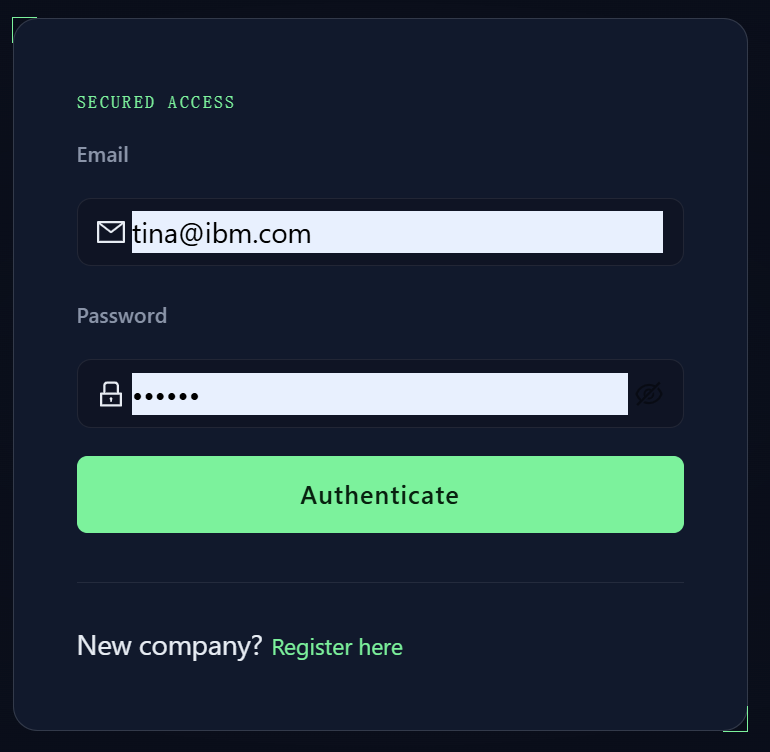
Open https://agilewatch.com/app and sign in with your account.
2. Download Skills
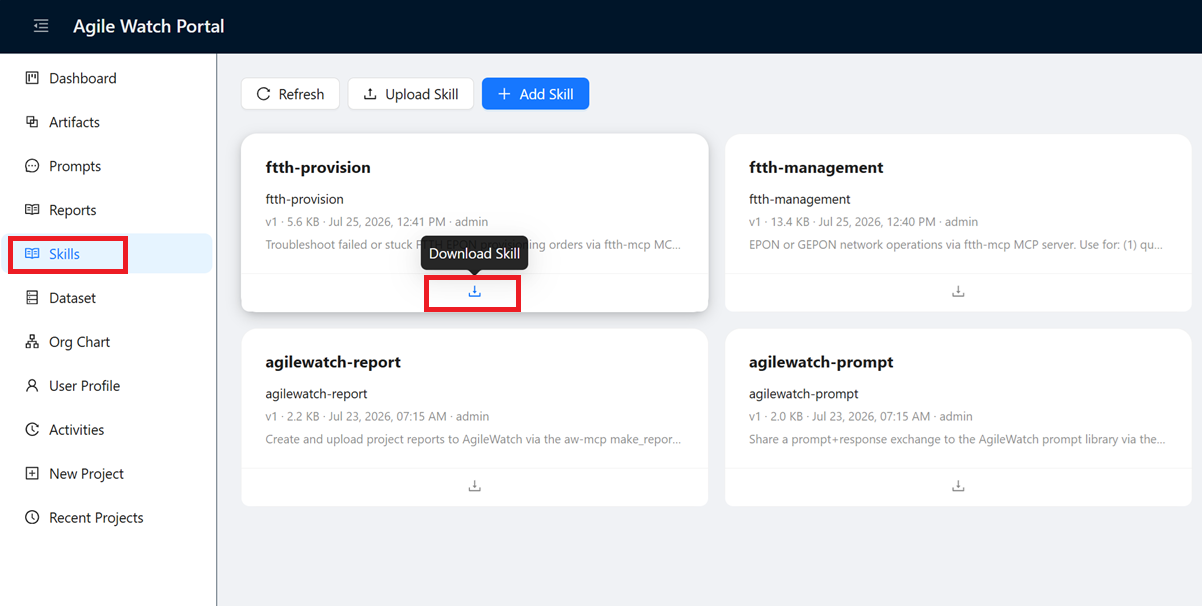
Navigate to Project Skills from the left sidebar menu. Find the skill you want to install, click the download button, and save the .zip file to your local machine.
3. Install Skills in WorkBuddy
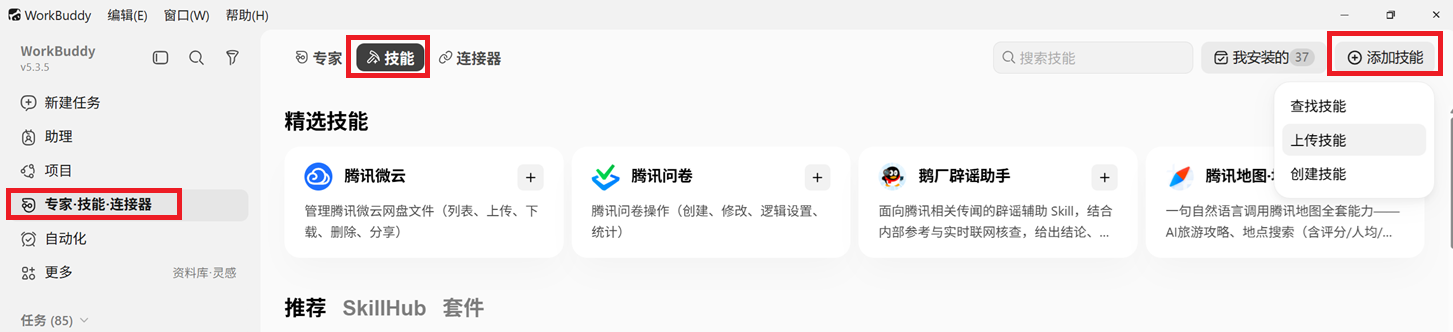
In WorkBuddy, open the skills management interface:
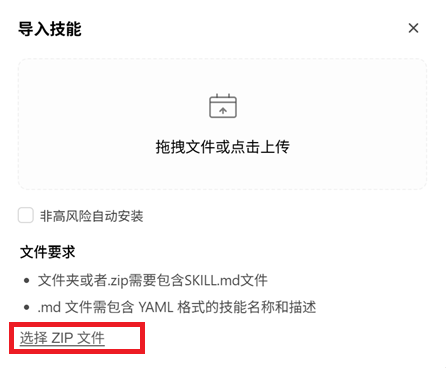
Upload the skill .zip file you downloaded from AgileWatch:
4. Use the Skill
After installation, you can activate the skill in any WorkBuddy task:
- Type
/skill-nameto invoke the skill directly - Or use the keywords from the skill description — for example, saying "share prompt to AgileWatch" will automatically trigger the relevant skill
tip
Check the skill description on the AgileWatch Project Skills page for the exact invocation command and trigger keywords for each skill.